


TheWeather: weather forecast
3.9748.00 Reviews
App Specs
- Version
- Varies with Device
- Updated On
- License
- Free
- Downloads
- 10,000,000+
- Developer
- ILMETEO srl
- Categories
- Weather
- Platform
- Android, iOS
Screenshots
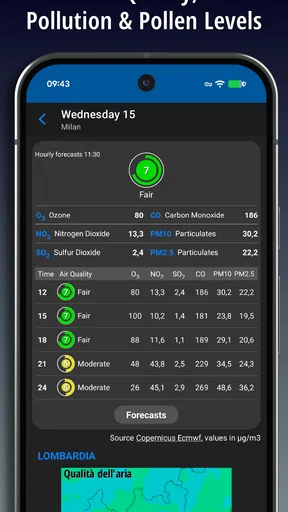
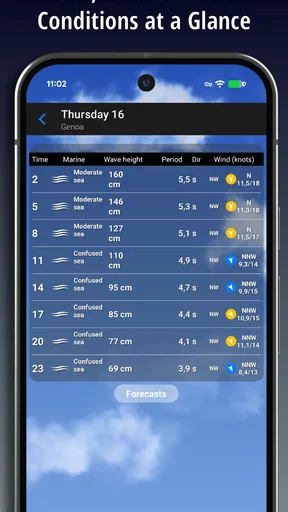
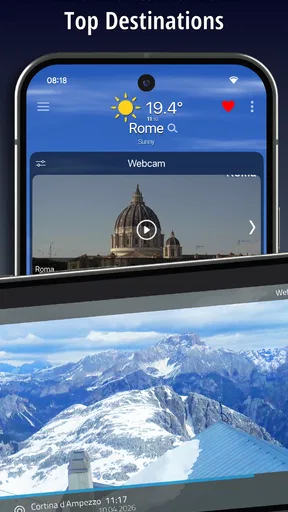
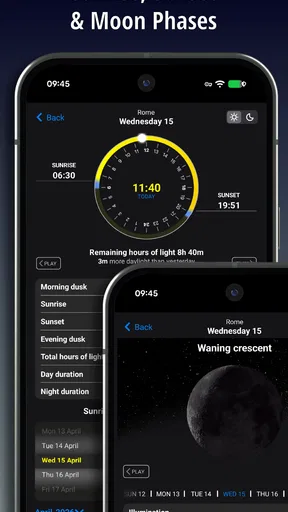
 Analysis by AppCompare
Checking the weather can become a small daily nuisance: open an app, work out whether the forecast applies to your exact plans, then still wonder if a shower will arrive before you get home. I like weather tools best when they remove that second-guessing without making me dig through screens. TheWeather: weather forecast is built around quick forecasts, with radar, webcams, and weather alerts among the reasons it has found a large audience in Italy. My view is that it is most useful when you treat it as a practical planning aid, not a guarantee that every local change will be predicted perfectly.
What I would check before relying on it
For a first look, I would start with the place I care about most and check the forecast before making a decision that depends on the weather. A quick glance is enough for routine choices such as taking a light layer or moving a walk to another part of the day. If the forecast matters more—a long drive, an outdoor gathering, or a day spent away from home—I would look at the radar and alerts as well rather than relying on one headline condition.
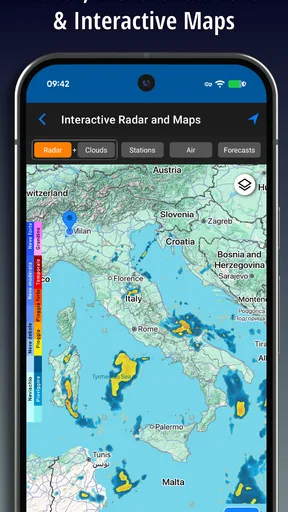
That distinction matters because a general forecast and a live view answer different questions. The forecast helps with broad planning, while radar can help you judge whether rain is moving toward your area. Webcams offer another kind of context: seeing conditions at a particular viewpoint can be more useful than interpreting a symbol when you are deciding whether a nearby place looks clear. None of these views should be treated as a promise about what will happen on your street, but together they give you more to work with than a single temperature reading.
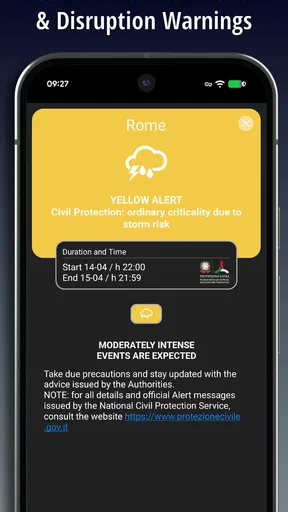
I would also decide early whether I want weather alerts on. They are valuable when a serious change could affect travel or outdoor plans, but alerts are not useful if they become background noise. If you only need to choose what to wear, opening the app when you are ready to leave may be less intrusive. If you are responsible for children, commuting outdoors, or keeping an eye on a planned event, timely alerts may justify the extra interruptions. The best setup is the one that matches the decisions you actually make.
Where it earns its place in a routine
A realistic use is a morning commute with a flexible departure time. I would check the forecast first, then use radar if rain seems likely and decide whether to leave earlier, carry an umbrella, or take a different route. Later in the day, I could check again before heading home. That is a more useful workflow than repeatedly refreshing a forecast without a specific question in mind: each glance helps answer a practical decision.
It can also help when plans involve more than one location. If I am deciding between staying local and travelling to an outdoor destination, I would compare the conditions for both places rather than assuming the weather is the same across the region. A webcam can be especially helpful when the destination has a relevant camera view, while radar can add context for approaching precipitation. I would still leave room for conditions to change during the journey, particularly if the plans are weather-sensitive.
For a casual user, the main benefit is less mental bookkeeping: check once before getting dressed, check again when plans change, and use an alert when conditions could have a real impact. For someone who spends a lot of time outdoors, the app’s mix of forecast, radar, webcams, and alerts is more compelling than a minimal screen showing only the current temperature. If you rarely make weather-dependent plans and already glance at a basic forecast on your phone, the extra views may not be worth adding another app.
Worth Reading Before You Choose

Flipboard Shows What News Apps Must Do Beyond the Feed

Switching to Android Auto Means Rethinking Your Driving Routine

Google Calendar Makes a Crowded Week Easier to Manage

Ludo King Makes the Most of the Minutes Between Plans

Baby Panda World Brings Quick Play to Modern Phones, but Its Game Library Feels Busy

ESPN’s Live Game View Makes Following Close Games Easier
How it compares with simpler weather apps
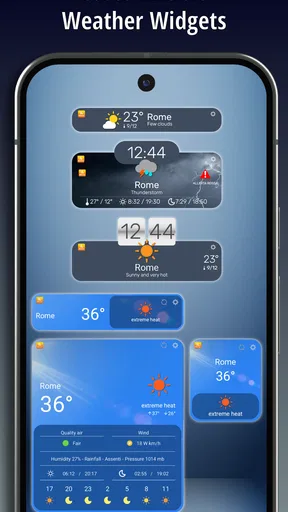
Many weather apps are designed to give a fast answer to “What is it like right now?” That is enough for deciding whether to wear a coat, but it can leave you with little context when rain is on the way or you are choosing between destinations. TheWeather’s appeal is the option to move from a general forecast to radar, webcams, or alerts when the decision calls for more detail. I would choose a simpler alternative if I wanted only a compact current-conditions widget or the fewest possible screens.
More information is not automatically better, though. Radar and webcams are most useful when you have a concrete place and time in mind; casually watching them can create the illusion of certainty without improving a decision. My tip is to use the forecast for the broad plan, then open the more specific views only when the weather could change what you do. That keeps the app quick to use and makes its extra tools feel purposeful rather than like clutter.
First Impressions
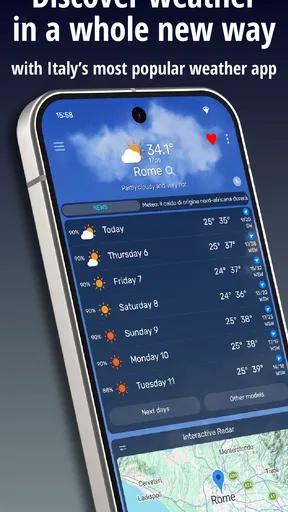
Alright, let's dive right in. The first thing you'll notice about TheWeather: weather forecast is its clean and straightforward interface. It's like the app knows exactly what you need—no fluff, just the essentials. As soon as you open it, you’re greeted with today’s weather, complete with temperature, humidity, and wind speed. It's perfect for those, like me, who prefer their information fast and to the point.
The app also offers a neat little feature where it gives you a summary of the week ahead. It's like having a personal weather assistant in your pocket. And let me tell you, this has saved me from a few wardrobe disasters already. I mean, who doesn't love being prepared?
Features that Stand Out
One of the standout features is the hourly forecast. I find this incredibly useful, especially on days when the weather is unpredictable. It breaks down the weather by the hour, so you can plan your day with precision. No more guessing if that cloud overhead is just passing through or planning to stick around.
Another cool feature is the integration with your calendar. The app can sync with your calendar events to give weather predictions for specific days. So, if you’ve got an outdoor event planned, you can check if you’ll need to bring a jacket or sunscreen. How thoughtful is that?
The app also sends out notifications for severe weather alerts. This is crucial, especially if you live in an area prone to sudden weather changes. Knowing when a storm is about to hit can literally be a lifesaver.
Usability and Performance
Performance-wise, the app is smooth sailing. I didn't experience any lags or crashes, which is a big plus. It's lightweight and doesn't hog your phone's resources, so you can keep it running in the background without worrying about battery drain. The developers really nailed it with this one, ensuring a seamless experience.
Navigating through the app is super intuitive. Everything is where you expect it to be, which means less time figuring things out and more time actually using the app. The settings menu is straightforward, allowing you to customize notifications and choose your preferred units for temperature—Celsius or Fahrenheit.
Why You Should Consider It
If you're someone who likes having all the information at your fingertips, the app is worth checking out. It’s more than just a weather app; it’s like having a weather station in your pocket. The user-friendly interface, combined with its accuracy, makes it a must-have for anyone who wants to stay informed.
There is a practical trade-off behind that breadth. Radar, webcams, and alerts are most valuable when they help answer a particular question; if you only want a fast glance at the day, they may be more than you need. I would also avoid treating any forecast as certainty, especially for plans several days away or a location where conditions can vary quickly. Use the broader outlook to prepare, then check nearer the time before making a decision that is hard to reverse.
In a world where being prepared can save you time and hassle, this app provides that peace of mind. Whether you're planning a trip or just curious about how to dress for the day, having this app on your device is like having a trusty friend who whispers the weather forecast in your ear.
There are a few practical questions worth settling before making it part of your routine. The app is free to download, though it offers in-app purchases priced from $0.99 to $9.99 per item, so I would check what is included before buying anything. It is a weather app from ILMETEO srl, rated for Everyone, and it has an average rating of 3.9 from around 696,000 ratings, with over 10 million installs. Those figures suggest it is widely used, but they do not tell me whether a particular forecast will suit my local needs; I would judge that by checking how useful its information is for the places I visit.
Its long presence in the category also makes it feel like an established choice rather than a novelty: it was released in August 2010. The audience is especially broad in Italy, where it is a popular option, but the useful test for any reader is local relevance. If you travel between towns, save or check the locations that matter to your plans and compare them directly. If you mainly need weather for a place outside its strongest audience, it is sensible to compare its forecast with another trusted source before relying on it for a high-stakes outdoor decision.
So, if you're tired of being caught off guard by the weather, give this app a shot. It's like having your own personal meteorologist, and who wouldn't want that?
Pros
- Accurate forecasts with real-time updates.
- User-friendly interface with intuitive navigation.
- Detailed hourly and weekly forecasts available.
- Customizable alerts for severe weather conditions.
- Supports multiple locations for easy tracking.
Cons
- Contains in-app ads that can be intrusive.
- Limited features available in the free version.
- Occasional lag in loading weather data.
- No offline mode for accessing weather info.
- Requires constant internet connection for updates.
FAQs for TheWeather: weather forecast
What features does TheWeather app offer?
TheWeather app provides a comprehensive suite of features including real-time weather updates, a 7-day forecast, radar maps, and severe weather alerts. Users can customize notifications and choose between different units of measurement. Additionally, the app offers an intuitive interface with detailed hourly forecasts, making it a robust tool for planning your day.
Is TheWeather app free to use?
Yes, TheWeather app is free to download and use. However, it offers in-app purchases and a premium version that provides an ad-free experience and additional features such as advanced radar options and extended forecasts. Users can choose whether to upgrade based on their needs.
How accurate is the weather information provided by TheWeather app?
TheWeather app sources its data from reliable meteorological services, ensuring a high level of accuracy. It uses advanced algorithms to provide real-time updates and predictive analytics. While no weather service can guarantee 100% accuracy, TheWeather app is known for its reliability and precision in forecasting.
Does TheWeather app require an internet connection?
Yes, TheWeather app requires an internet connection to fetch the latest weather data and updates. While some features like offline viewing of saved data are available, users need an active connection for real-time updates and radar imagery to ensure they have the most current information.
Can TheWeather app provide alerts for severe weather conditions?
Absolutely, TheWeather app is equipped to send notifications and alerts for severe weather conditions such as storms, heavy rain, or extreme temperatures. Users can customize alert settings to receive notifications for specific conditions, ensuring they are prepared and informed about any potential weather threats.


